



OUR BRAND
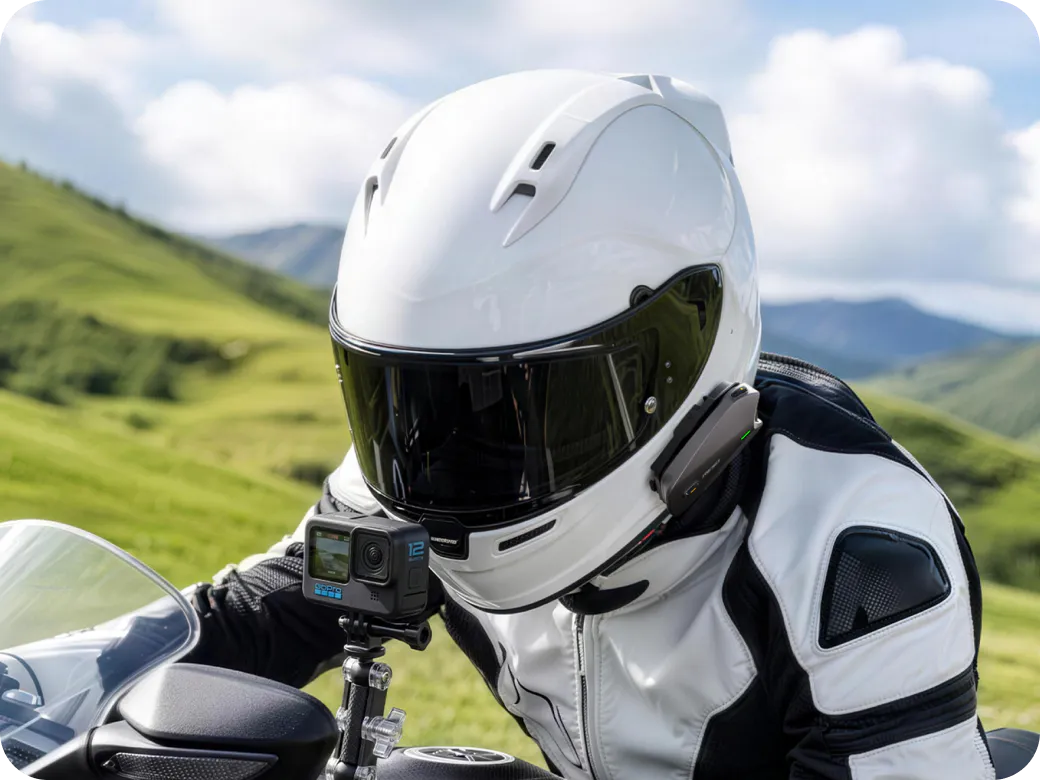
RESOPilot is committed to redefining motorcycle communication through innovative connectivity technology. Founded by former DJI engineers, RESOPilot creates advanced communication solutions designed to keep riders connected on every journey.


3 EASY STEPS TO JOIN US
Sign Up
Apply for a RESOPilot referral account.
Share
Get an exclusive Link to share.
Get Paid
Get 10 % commission per sale.
EARN FROM EVERY SALE YOU DRIVE

10% Commission
Earn 10% average commission, withdrawable in cash.

45-Day Period
Commissions are confirmed after the referred order completes the 45-day qualification period.

Free to Join
Join the RESOPilot Affiliate Program at no cost. No membership or entry fee.

RESOPilot Referral Program
Share to earn
FAQs
What is DuoSync technology
DuoSync technology delivers a seamless fusion of hardware and software mesh that automatically and instantly switches between connection paths. Even when distance or signal fluctuations cause dropouts, the system automatically reconnects without manual intervention, ensuring uninterrupted coverage. With an available internet connection, such as a mobile hotspot,software Mesh can extending your communication range without limits.
What’s the difference between RESOPilot Pro and Neo?
RESOPilot Pro features DuoSync technology (Dual Mesh), while RESOPilot Neo only supports hardware Mesh.Beyond communication capabilities, RESOPilot Pro is equipped with a built-in GNSS Module that enables SOS support and real-time location tracking, whereas RESOPilot Neo does not have a built-in GNSS Module.
For added entertainment, RESOPilot Pro also features built-in FM Radio, allowing users to listen to FM radio independently, while RESOPilot Neo does not support FM Radio.
How to enable Software Mesh on the RESOPilot Pro
Mobile Hotspot / Wi-Fi:
Connect your device through the Reso Link App, then select and connect to a hotspot or Wi-Fi network. Once the connection is established, Software Mesh will be activated automatically.
Bluetooth Tethering:
For iPhone users:Go to Settings > Personal Hotspot and enable “Allow Others to Join.” We recommend turning off “Maximize Compatibility.” Then put your RESOPilot device into Bluetooth pairing mode and find and connect to the RESOPilot device from your phone’s Bluetooth list.
For Android users:Go to Settings > Personal Hotspot / Tethering and enable “Bluetooth tethering.” Then pair and connect your RESOPilot device through your phone’s Bluetooth settings.
How many riders can connect in a group intercom session?
With DuoSync technology, Hardware Mesh and Software Mesh work together to support up to 30 users in group communication. Hardware Mesh alone supports up to 15 users.
What is the battery life of the RESOPilot Pro under different operating modes?
Full-Load Mode (Dual Mesh + Music + GNSS): ~13 hours
Audio / Navigation Mode (Audio Playback + GNSS): ~18 hours
Power-Saving Mode (Bluetooth Intercom only): ~33 hours
Powered by 15W fast charging, a quick 5-minute charge delivers up to around 2 hours of use, and 30 minutes gets you to about 80%.A full charge takes approximately 55 minutes.
Which action cameras are currently supported by the RESOPilot Pro?
Pro : Supports both USB-C Connection and Direct Bluetooth Connection.
Compatibility List:
1.USB-C Connection:
DJI Osmo 360 /360 II/ Action 3/ Action 4/Action 5 Pro/ Action 6
2.Direct Bluetooth Connection:
Insta360 X2 / X3 / X4 / X5 / X6 / Ace Pro / Ace Pro 2
DJI OSMO 360 / 360 Ⅱ/Action 6
GoPro HERO12
How do I create a group with the RESOPilot Pro?
Pro support three ways to create a group:
1. Using the device buttons: After powering on, all members who want to join the group should press and hold the Mesh button to enter group setup mode. The indicator will flash red and green alternately. After successfully joining the group, it will flash green and purple alternately. Once the voice prompt confirms that the group member count is correct, any member can press and hold the Mesh button again to complete the group setup.
2. Using voice commands: Say “Hey, Reso” / “Hey, Pilot” → “Start Mesh Teaming” / “Start Mesh Grouping.”
3. Using the Reso Link App: Open the group function in the app and follow the instructions to create or join a group.
Compatibility: Pro, Neo, and Lite are compatible with each other and can join the same group for intercom communication.
What is the communication range of the RESOPilot Pro?
Up to 7.5 miles / 12 km (Hardware Mesh) | Unlimited range with DuoSync technology (Software Mesh).
Can RESOPilot Neo and RESOPilot Pro join the same intercom group?
Yes. RESOPilot Neo and Pro share the same Hardware Mesh communication Protocol and can connect, group, and communicate seamlessly together.
What is the warranty period for my Product?
The warranty timeline varies by Product category:
RESOPilot Pro, Neo, Lite: 3-Year Limited Warranty
Accessories: 1-Year Limited Warranty
What’s the difference between RESOPilot Pro and Neo?
RESOPilot Pro features DuoSync technology (dual-channel Mesh ), while RESOPilot Neo only supports hardware Mesh. In addition, RESOPilot Pro is equipped with a built-in GNSS Module that enables SOS safeguard alerts and real-time location tracking whereas RESOPilot Neo does not have a built-in GNSS Module.
How many riders can connect in a group intercom session?
Up to 15 riders (Hardware Mesh) with dynamic multi-hop routing.
What is the battery life of the RESOPilot Neo under different operating modes?
Full-Load Mode (Active Mesh Intercom + Bluetooth Music): ~24 hours of continuous use.
Powered by 15W fast charging, a quick 5-minute charge delivers up to around 2 hours of use, and 30 minutes gets you to about 80%.A full charge takes approximately 55 minutes.
Which action cameras are currently supported by the RESOPilot Neo?
Neo : Supports both USB-C Connection and Direct Bluetooth Connection.
Compatibility List:
1.USB-C Connection:
DJI Osmo 360 /360 II/ Action 3/ Action 4/Action 5 Pro/ Action 6
2.Direct Bluetooth Connection:
Insta360 X2 / X3 / X4 / X5 / X6 / Ace Pro / Ace Pro 2
DJI OSMO 360 / 360 Ⅱ/Action 6
GoPro HERO12
How do I create a group with the RESOPilot Neo?
Neo support three ways to create a group:
1. Using the device buttons: After powering on, all members who want to join the group should press and hold the Mesh button to enter group setup mode. The indicator will flash red and green alternately. After successfully joining the group, it will flash green and purple alternately. Once the voice prompt confirms that the group member count is correct, any member can press and hold the Mesh button again to complete the group setup.
2. Using voice commands: Say “Hey, Reso” / “Hey, Pilot” → “Start Mesh Teaming” / “Start Mesh Grouping.”
3. Using the Reso Link App: Open the group function in the app and follow the instructions to create or join a group.
Compatibility: Pro, Neo, and Lite are compatible with each other and can join the same group for intercom communication.
What is the communication range of the RESOPilot Neo?
Up to 7.5 miles / 12 km (Hardware Mesh only).
Can RESOPilot Neo and RESOPilot Pro join the same intercom group?
Yes. RESOPilot Neo and Pro share the same Hardware Mesh communication Protocol and can connect, group, and communicate seamlessly together.
What is the warranty period for my Product?
The warranty timeline varies by Product category:
RESOPilot Pro, Neo, Lite: 3-Year Limited Warranty
Accessories: 1-Year Limited Warranty